

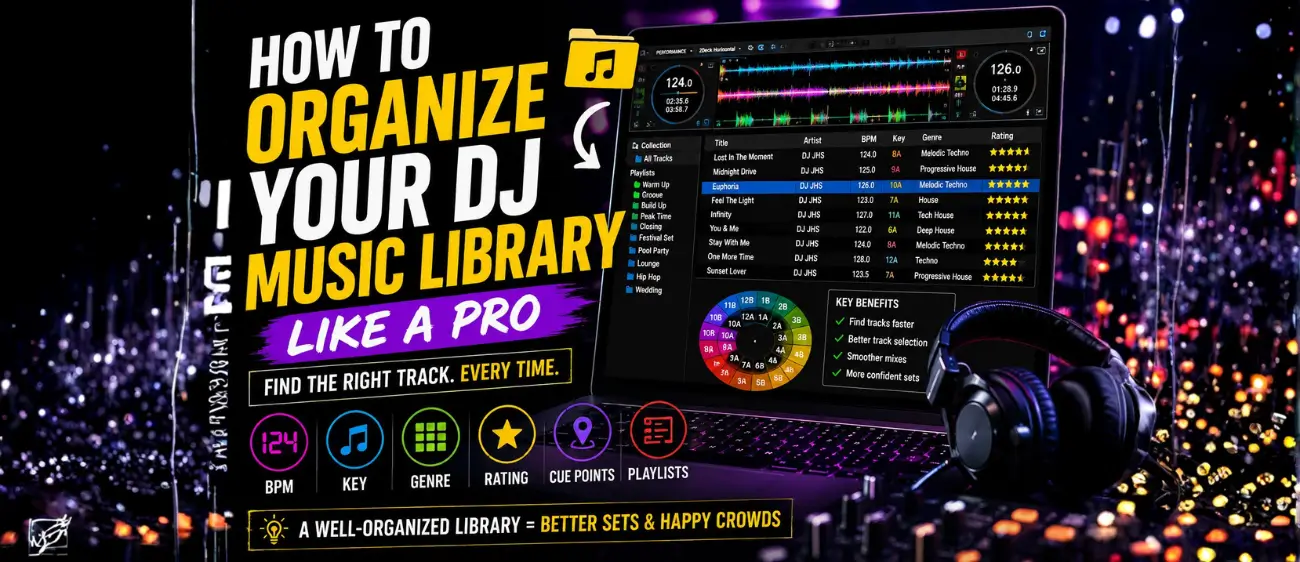
How to Organize Your DJ Music Library Like a Pro
by August 4, 2026Every successful DJ knows that great performances start long before stepping behind the decks. One of the most overlooked skills in DJing is having a well-organized music library. Whether you’re playing in clubs, weddings, festivals, or livestreams, finding the right track at the right moment can make all the difference.
A messy library filled with untitled files, duplicate songs, and inconsistent tags can slow you down and interrupt your creative flow. In this guide, you’ll learn how professional DJs organize their music libraries to perform with confidence and efficiency.
Why Organizing Your Music Library Matters
Imagine you’re in the middle of a packed dance floor and need the perfect track to keep the energy alive. If you spend several minutes searching through thousands of files, you risk losing the crowd.
An organized library helps you:
- Find tracks instantly
- Create smoother transitions
- Build better playlists
- Reduce stress during performances
- Save preparation time before gigs
- Improve overall DJ workflow
Preparation is one of the biggest differences between beginner and professional DJs.
Step 1: Organize by Genre
Start by separating your music into genres. Even if you mostly play one style, organizing by genre makes it easier to prepare for different events.
Example:
House
Tech House
Melodic Techno
Techno
Afro House
Progressive House
Deep House
Drum & Bass
Trance
Hip-Hop
Open Format
Avoid placing every song in one large folder.
Step 2: Sort by BPM
Tempo is one of the quickest ways to find compatible tracks.
Example BPM ranges:
| Genre | BPM |
|---|---|
| Deep House | 120–124 |
| House | 124–128 |
| Progressive House | 126–130 |
| Melodic Techno | 124–128 |
| Techno | 128–135 |
| Drum & Bass | 170–175 |
Most DJ software automatically detects BPM, but always double-check for accuracy.
Step 3: Organize by Musical Key
Harmonic mixing creates smoother transitions by mixing songs in compatible keys.
Popular key systems include:
- Camelot Wheel
- Open Key
Examples:
- 8A
- 9A
- 10A
- 8B
Keeping key information visible makes it much easier to create musical, seamless mixes.
Step 4: Rate Your Tracks
Professional DJs often use star ratings to quickly identify the quality or usefulness of a track.
Example system:
⭐⭐⭐⭐⭐ – Festival anthem or all-time favorite
⭐⭐⭐⭐ – Peak-time weapon
⭐⭐⭐ – Reliable filler track
⭐⭐ – Warm-up or niche use
⭐ – Rarely played
This simple system helps you make faster decisions during live performances.
Step 5: Use Color Coding
Many DJ applications let you assign colors to tracks.
Example:
🟢 Warm-up
🟡 Groove
🟠 Build-up
🔴 Peak Time
🔵 Closing
🟣 Emotional
Visual organization speeds up track selection during a live set.
Step 6: Create Smart Playlists
Instead of one huge playlist, create playlists based on different situations.
Examples:
- Opening Set
- Sunset Session
- Club Warm-Up
- Peak Time
- Closing Tracks
- Festival Set
- Pool Party
- Lounge
- Radio Mix
- Wedding
These playlists help you adapt quickly to different audiences.
Step 7: Set Hot Cues
Hot Cues allow you to jump instantly to important sections of a song.
Useful cue points include:
Cue 1 – Intro
Cue 2 – Vocal Start
Cue 3 – Build-Up
Cue 4 – Drop
Cue 5 – Breakdown
Cue 6 – Outro
Consistent cue placement makes transitions much faster.
Step 8: Remove Duplicate Tracks
Duplicate songs create unnecessary clutter.
Regularly check your library for:
- Multiple versions of the same song
- Low-quality files
- Unused edits
- Broken files
Keeping only the best version of each track saves storage space and reduces confusion.
Step 9: Backup Your Library
Never rely on a single hard drive.
A good backup strategy includes:
- External SSD or HDD
- USB backup
- Cloud storage
- Second USB for gigs
Losing your music collection can be devastating, so always keep multiple backups.
Step 10: Update Your Library Regularly
Professional DJs don’t wait until the day of a performance to organize their music.
Make it a habit to:
- Add new tracks weekly
- Update BPM and key information
- Remove old or unused songs
- Refresh playlists
- Review cue points
Spending just 15–30 minutes each week on maintenance can save hours before your next gig.
Recommended Folder Structure
Music Library
│
├── House
├── Tech House
├── Melodic Techno
├── Progressive House
├── Techno
├── Afro House
├── Deep House
├── Drum & Bass
├── Hip-Hop
├── Wedding
├── Festival
├── Warm-Up
├── Peak Time
└── Closing
A clear structure makes browsing easier across your computer and DJ software.
Best DJ Software for Library Management
Most professional DJ software includes powerful tools for organizing music:
- Rekordbox
- Serato DJ Pro
- VirtualDJ
- djay Pro
- Traktor Pro
- Engine DJ
Features like playlists, smart crates, cue points, ratings, and key analysis can greatly improve your workflow.
Common Mistakes to Avoid
- Leaving tracks with incorrect titles
- Ignoring BPM or key information
- Creating one giant playlist
- Forgetting to back up your music
- Using inconsistent cue points
- Downloading low-quality audio files
- Never cleaning your library
Avoiding these mistakes helps keep your collection reliable and easy to navigate.
Final Thoughts
A well-organized music library is one of the most valuable tools a DJ can have. It allows you to spend less time searching for songs and more time focusing on the crowd and your creativity.
By organizing tracks by genre, BPM, musical key, energy level, and playlists—and by maintaining consistent cue points and backups—you’ll be prepared for any performance, whether it’s a small private event or a large festival.
The best DJs don’t just collect music—they curate it. Building a clean, organized library will improve your workflow, boost your confidence, and help you deliver better sets every time.

Leave a comment